Catalog (SSR)
Catalog is currently being migrated into SSR.
If you want to use the CSR version instead, find the SDK documentation here
Overview
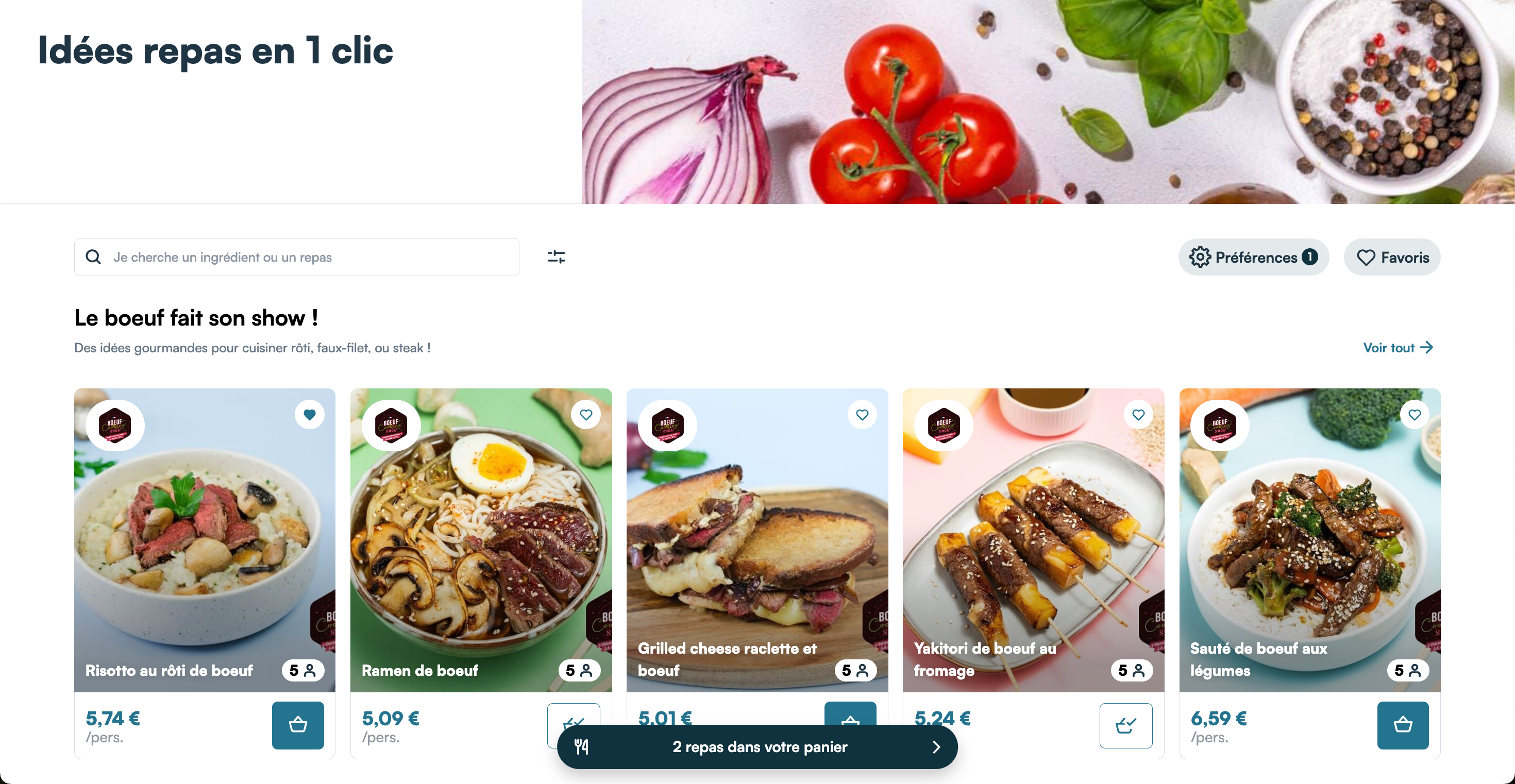
The catalog is a suite of full pages that you can display inside of blank pages in your website. It consists of several pages that route to one another:
- The home page, the intended starting point of the experience, which displays the categories of your catalog, each categories displaying the first recipes they contain
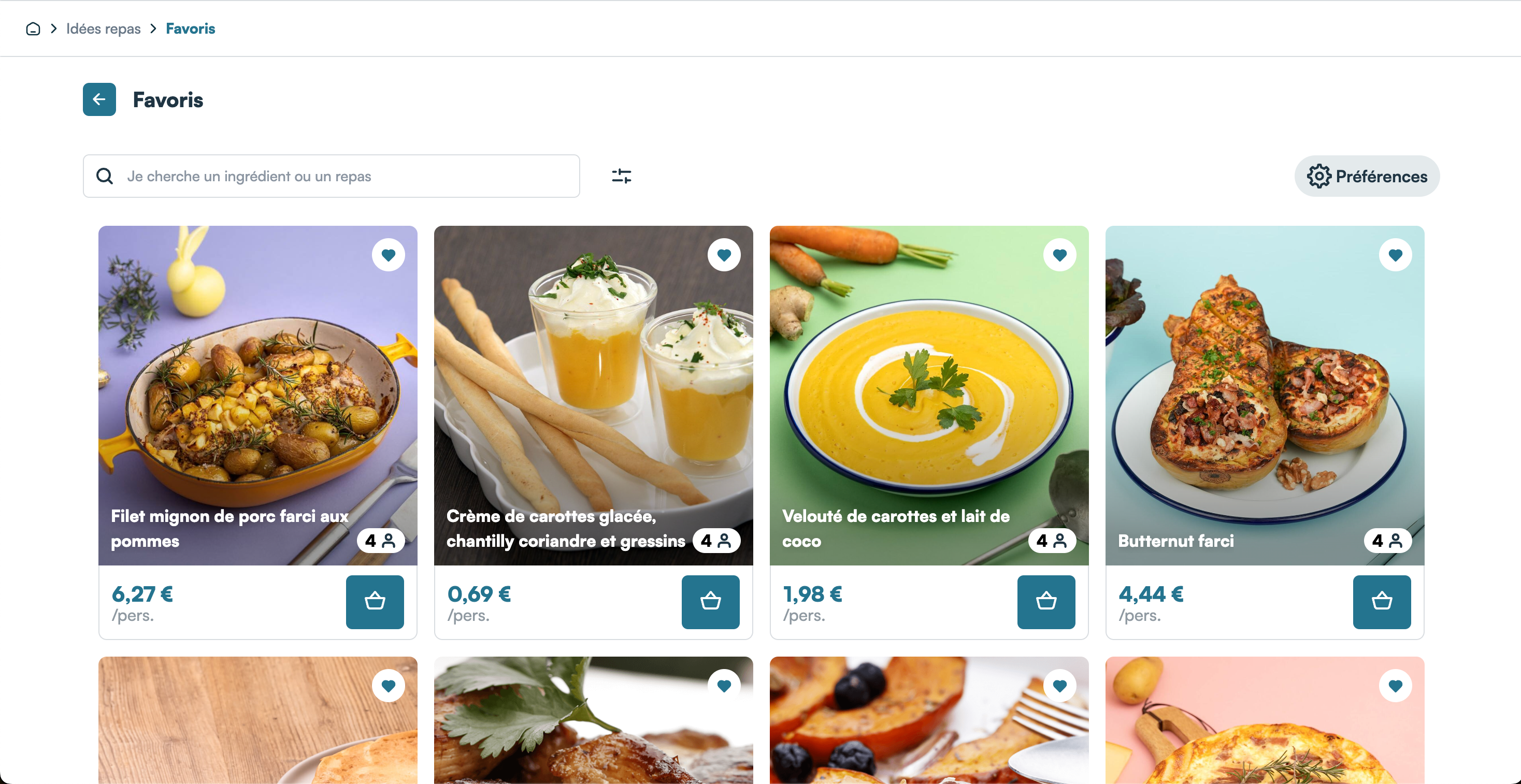
- The favorite page, which shows the list of recipes added as favorites by a connected user
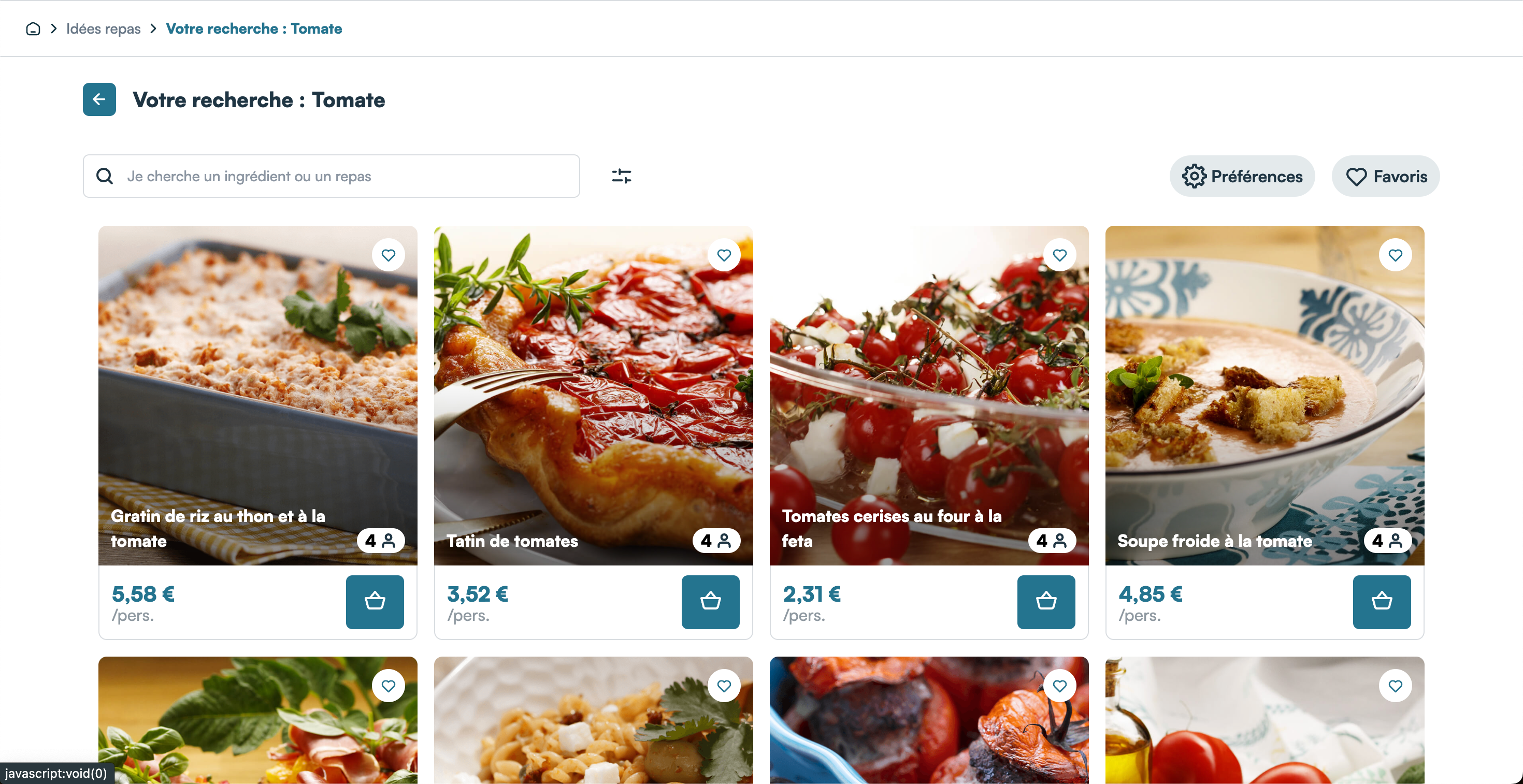
- The list page, which shows a filtered list of your catalog of recipes (currently the only application of the list page is for the search results)
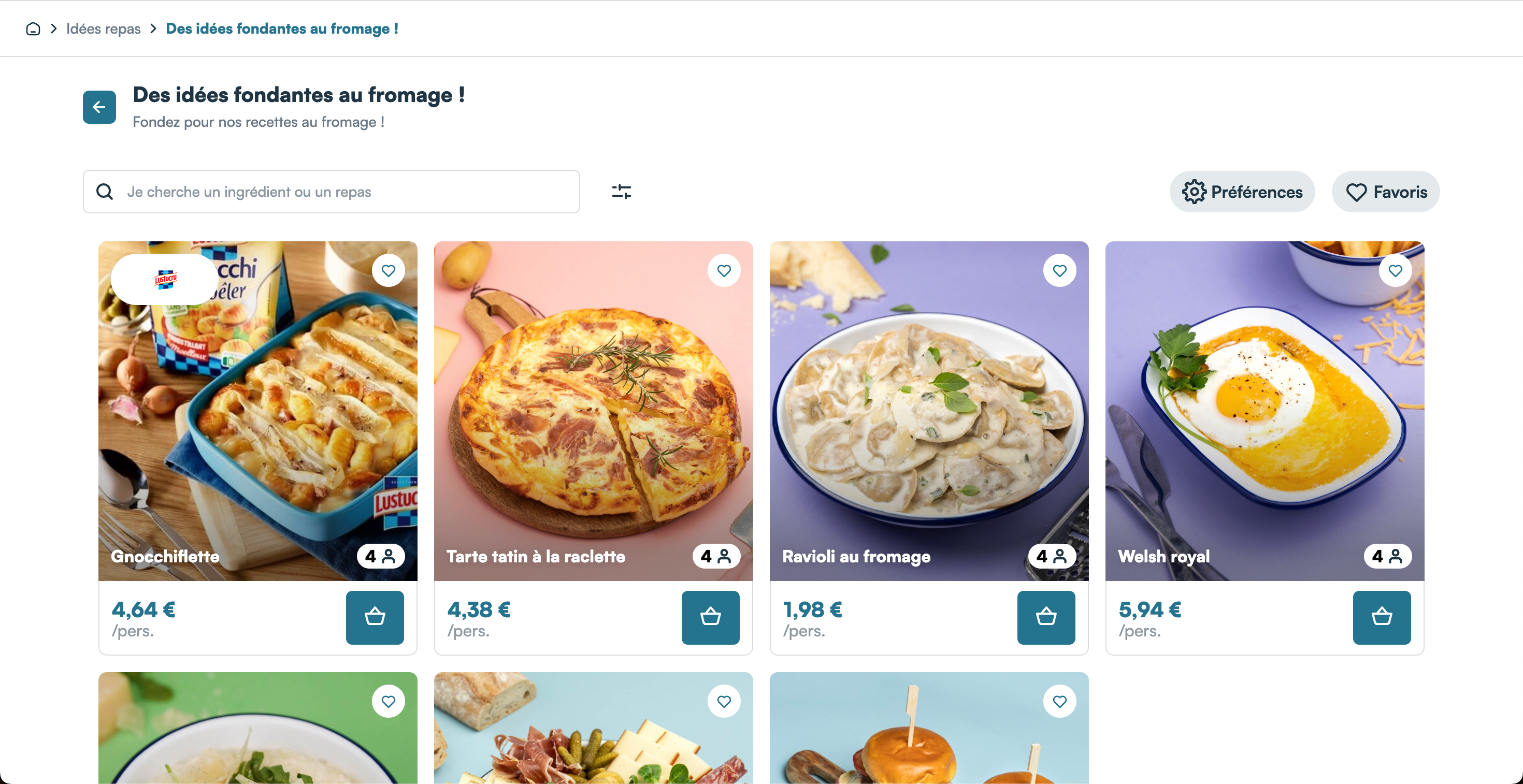
- The categories page, which shows the list of recipes in a category
All pages display a toolbar that has :
- A search bar to search recipes by name which redirects to the list page if clicked from the home page, or the current page with additional filters if on the list, favorites or categories page
- A "Favorites" button which redirects to the favorites page
- A "Preferences" button that opens the Preferences drawer, enabling users to set global preferences for recipes based on include and exclude tags (e.g., gluten-free, vegan, or exclude specific ingredients). These preferences are automatically managed and applied across all Mealz-related features, excluding favorites, for a tailored experience without additional configuration.
Each pages also displays a floating button showing the number of recipes currently added to the user's cart.
On a click on this button, the "My meals" drawers appears:
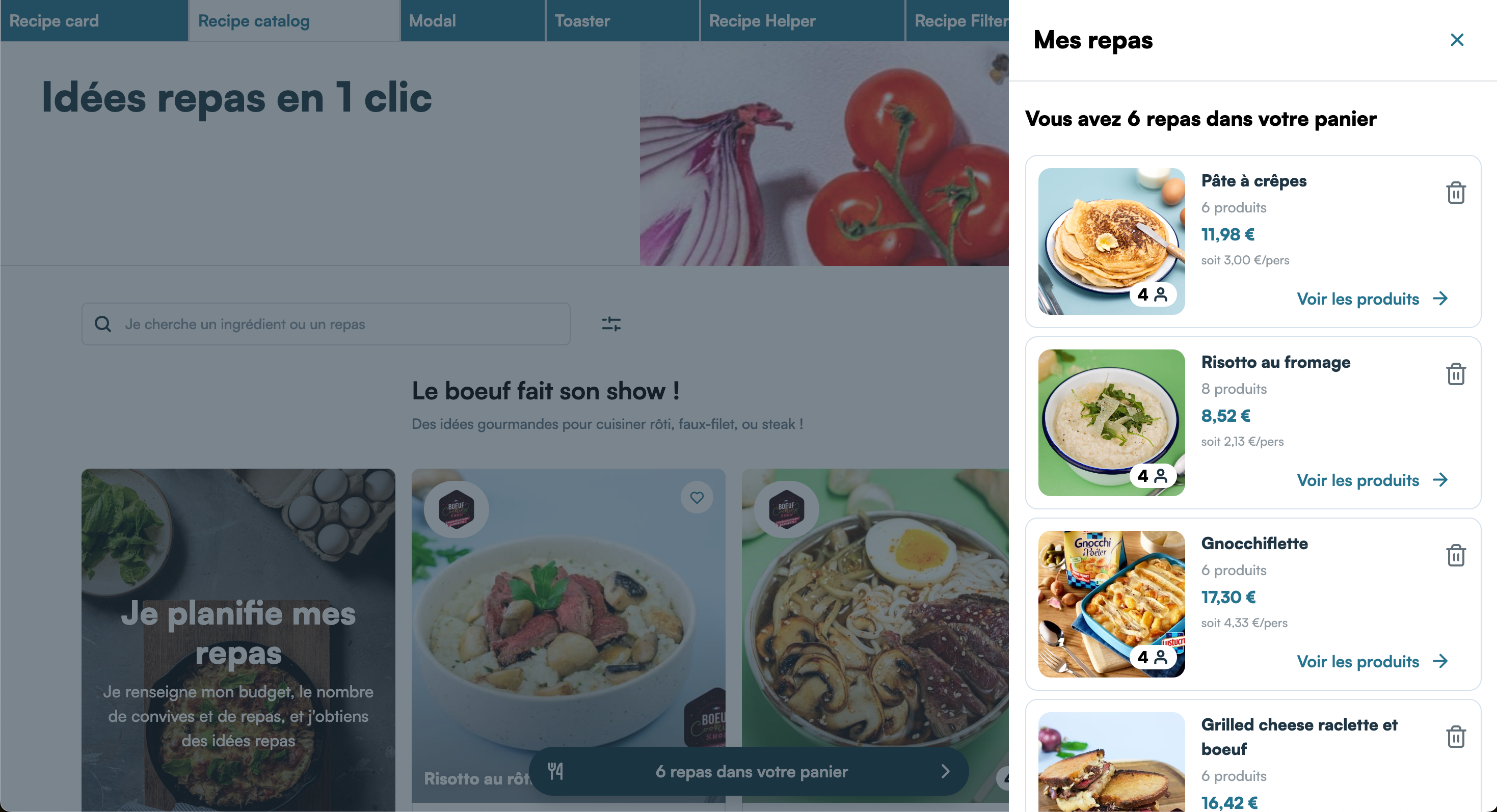
Clicking the trash icon next to a recipe in the drawer will remove that recipe from the cart, along with all its associated products. This action is equivalent to removing each product individually from the recipe details drawer. Clicking "See products" on a recipe will open the recipe details drawer, just as if the corresponding recipe card was clicked.
The category, favorites and list pages each return a response with only 20 recipes in the list, but more recipes are automatically fetched on scroll from the client-side.
Home Page
The base url for the catalog home page is the following:
GET https://MEALZ_SSR_API_URL/API_VERSION/catalog
-
Parameters :
-
store_id: string: (Recommended) We need your store ID to display the prices of the recipes, to fetch the recipes in basket informations and to hide recipes with primary ingredients not available in your store, so ideally it should be passed if the user has chosen a store -
max_recipes_per_category = 6: (Recommended) Specify a maximum number of recipes to display per category. In our base design, we have 1 row of recipes per category and recipes should ideally fill the space available. So it is in your interest to fetch exactly the number of recipes that can be displayed on 1 row on the user's screen. -
pricebook_key: string = 'DEFAULT': (Optional) the pricebook key is needed to retrieve the recipe price corresponding to the pricebook you are currently using. If your website doesn't have multiple pricebooks for the same store, this parameter is not needed. -
display_infos: boolean = false: (Optional) By default, the recipe-cards doesn't show the preparation time and difficulty af the recipe but if you want to display them you can set display_infos to true -
display_recipe_variant: number = 1: (Optional) Select the variant for the display of the cards in the catalog. Default is 1, available values are 1, 2 and 3 (see here for examples)
-
Example :
Do not forget the mandatory HTTP headers
GET https://MEALZ_SSR_API_URL/API_VERSION/catalog?store_id=max_recipes_per_category=6&display_recipe_variant=2
Category Page
The base url for the catalog category page will be the following:
GET https://MEALZ_SSR_API_URL/API_VERSION/catalog/category
- Parameters :
-
category_id: string: (mandatory) the id of the category to show. By default the url of the link "See all" on the home page will add this id to the queryParam categoryId (ex: http://localhost/catalog/category?categoryId=ID), you can get the id from here and send it as param of the catalog/category endpoint -
store_id: string: (Recommended) We need your store ID to display the prices of the recipes, to fetch the recipes in basket informations and to hide recipes with primary ingredients not available in your store, so ideally it should be passed if the user has chosen a store -
pricebook_key: string = 'DEFAULT': (Optional) the pricebook key is needed to retrieve the recipe price corresponding to the pricebook you are currently using. If your website doesn't have multiple pricebooks for the same store, this parameter is not needed. -
display_infos: boolean = false: (Optional) By default, the recipe-cards doesn't show the preparation time and difficulty af the recipe but if you want to display them you can set display_infos to true -
display_recipe_variant: number = 1: (Optional) Select the variant for the display of the cards in the catalog. Default is 1, available values are 1, 2 and 3 (see here for examples) -
search: string: (Optional) This parameter should be specified if the user has used the search bar. The search term should be retrieved from the URL parameter search and passed unaltered to refine the recipe results based on the search input.
-
Favorites Page
The base url for the catalog favorites page will be the following:
GET https://MEALZ_SSR_API_URL/API_VERSION/catalog/favorites
- Parameters :
-
store_id: string: (Recommended) We need your store ID to display the prices of the recipes, to fetch the recipes in basket informations and to hide recipes with primary ingredients not available in your store, so ideally it should be passed if the user has chosen a store -
pricebook_key: string = 'DEFAULT': (Optional) the pricebook key is needed to retrieve the recipe price corresponding to the pricebook you are currently using. If your website doesn't have multiple pricebooks for the same store, this parameter is not needed. -
display_infos: boolean = false: (Optional) By default, the recipe-cards doesn't show the preparation time and difficulty af the recipe but if you want to display them you can set display_infos to true -
display_recipe_variant: number = 1: (Optional) Select the variant for the display of the cards in the catalog. Default is 1, available values are 1, 2 and 3 (see here for examples) -
search: string: (Optional) This parameter should be specified if the user has used the search bar. The search term should be retrieved from the URL parameter search and passed unaltered to refine the recipe results based on the search input.
-
List Page
The base url for the catalog list page will be the following:
GET https://MEALZ_SSR_API_URL/API_VERSION/catalog/list
- Parameters :
-
store_id: string: (Recommended) We need your store ID to display the prices of the recipes, to fetch the recipes in basket informations and to hide recipes with primary ingredients not available in your store, so ideally it should be passed if the user has chosen a store -
pricebook_key: string = 'DEFAULT': (Optional) the pricebook key is needed to retrieve the recipe price corresponding to the pricebook you are currently using. If your website doesn't have multiple pricebooks for the same store, this parameter is not needed. -
display_infos: boolean = false: (Optional) By default, the recipe-cards doesn't show the preparation time and difficulty af the recipe but if you want to display them you can set display_infos to true -
display_recipe_variant: number = 1: (Optional) Select the variant for the display of the cards in the catalog. Default is 1, available values are 1, 2 and 3 (see here for examples) -
search: string: (Optional) This parameter should be specified if the user has used the search bar. The search term should be retrieved from the URL parameter search and passed unaltered to refine the recipe results based on the search input.
-
Routing
Each page uses links constructed with a base url and a page identifier to route between each page
Those values are stored internally in our API, and are client-dependant.
To ensure that our pages will correctly route between each other you will need to provide us with the urls of the pages on which you will display each page, so we can fill this config file accordingly, both for PROD and UAT environments.
I18n
The customizable text contents for this component are the following:
{
  "CATALOG_HOME": {
    "TITLE": "Meal ideas in 1 click",
    "CATEGORY": {
      "SEE_ALL": "See all"
    }
  },
  "MY_MEALS_BUTTON": {
    "TEXT": " recipes in your cart",
    "CARET_ALT": "Open the list"
  }
}
See Internationalisation for more information on how to configure a custom I18n file to override our base texts with your own. See the recipe card to see its customizable text contents