Recipe tags
Overview
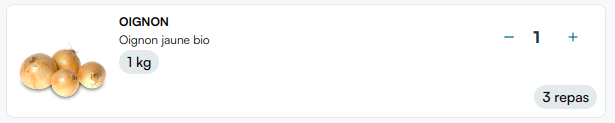
The recipe-tags is a component which, while not necessary for the basic Mealz implementation, we highly recommend to add to your website. This component is designed to be put on each products of your basket with the id of your product passed as input. If you do so, each product that was added from one or more of Mealz's recipes will display a tag displaying the number of recipes the product was added from. If the product wasn't added from a Mealz component, the tag will not be displayed.
This way the user can remember why the products are in the cart, which is especially useful if they have clicked on the "Add all ingredients" CTA on any of the recipe.
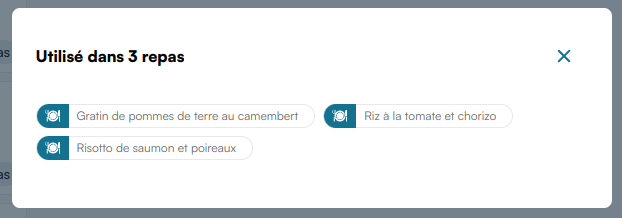
When clicked, the recipe-tags component opens a modal displaying the list of recipes from which the product have been added:
- Inputs :
extId: string: (mandatory) The id of the product in your databaserecipeDetailPreviewAllowed: boolean = true: If set to false, set the recipe-detail'spreviewAllowedinput to false when it is opened by a click on one of recipe-tag's recipes' title
Example
<ng-miam-recipe-tags></ng-miam-recipe-tags>
<script>
  const recipetags = document.querySelector("webc-miam-recipe-tags");
  const extId = "id1";
  recipetags.extId = extId;
</script>