Analytics
The library uses analytics to track key user interactions and improve the overall experience.
You can listen to the events we send and integrate them into your own analytics systems for tailored insights using window.mealz.analytics.eventSent$.
See window.mealz.analytics for more details.
Events
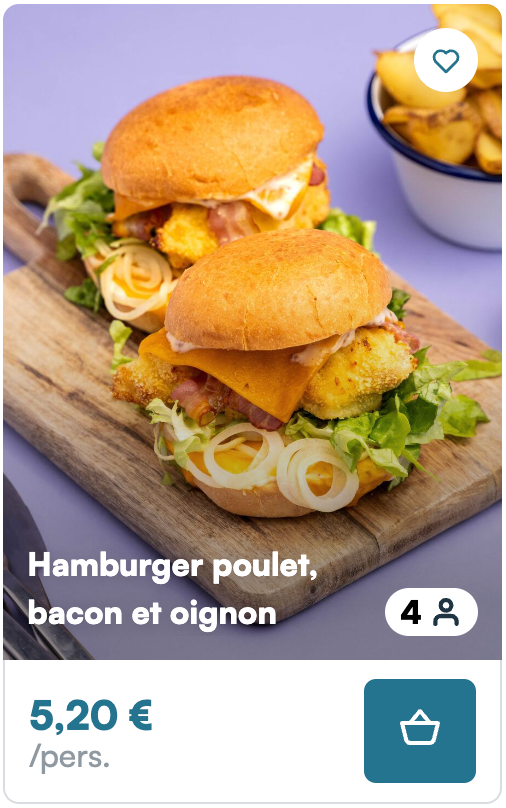
Recipe card
- recipe.show: When 80%+ of the recipe card is on the screen for 1 second
- recipe.display: Click on the recipe card to open the details
- recipe.like: Click on the heart button when recipe is not liked
- recipe.unlike: Click on the heart button when recipe is liked
Recipe catalog
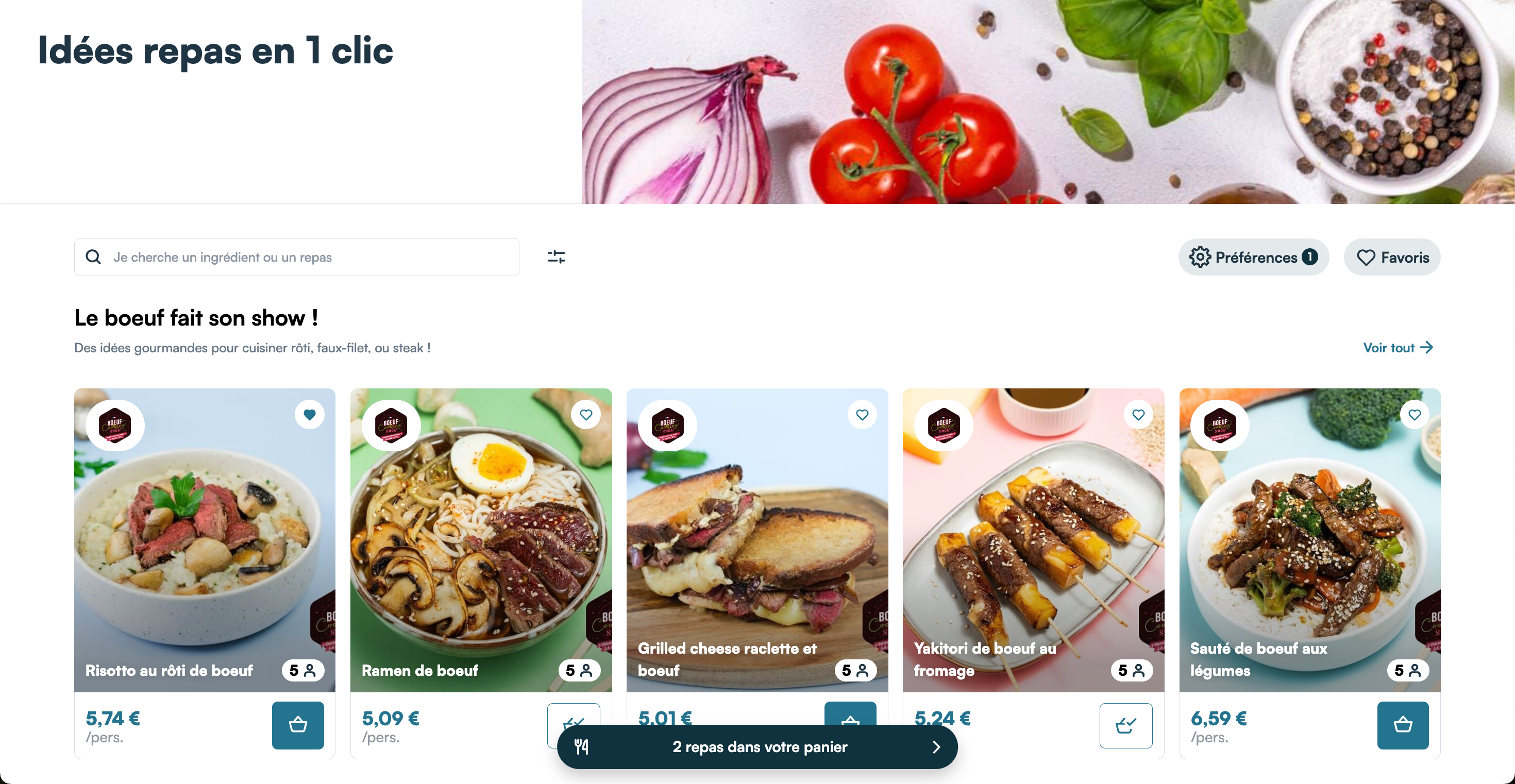
- pageview: Each time you land on the page
- category.show: When 80%+ of the category is on the screen for 1 second
- category.display: Click on "See all" on a category
- basket.display: Click on "X products in your cart"
- search: When you search for recipes or ingredients
Preferences
- pageview: Each time you land on the page
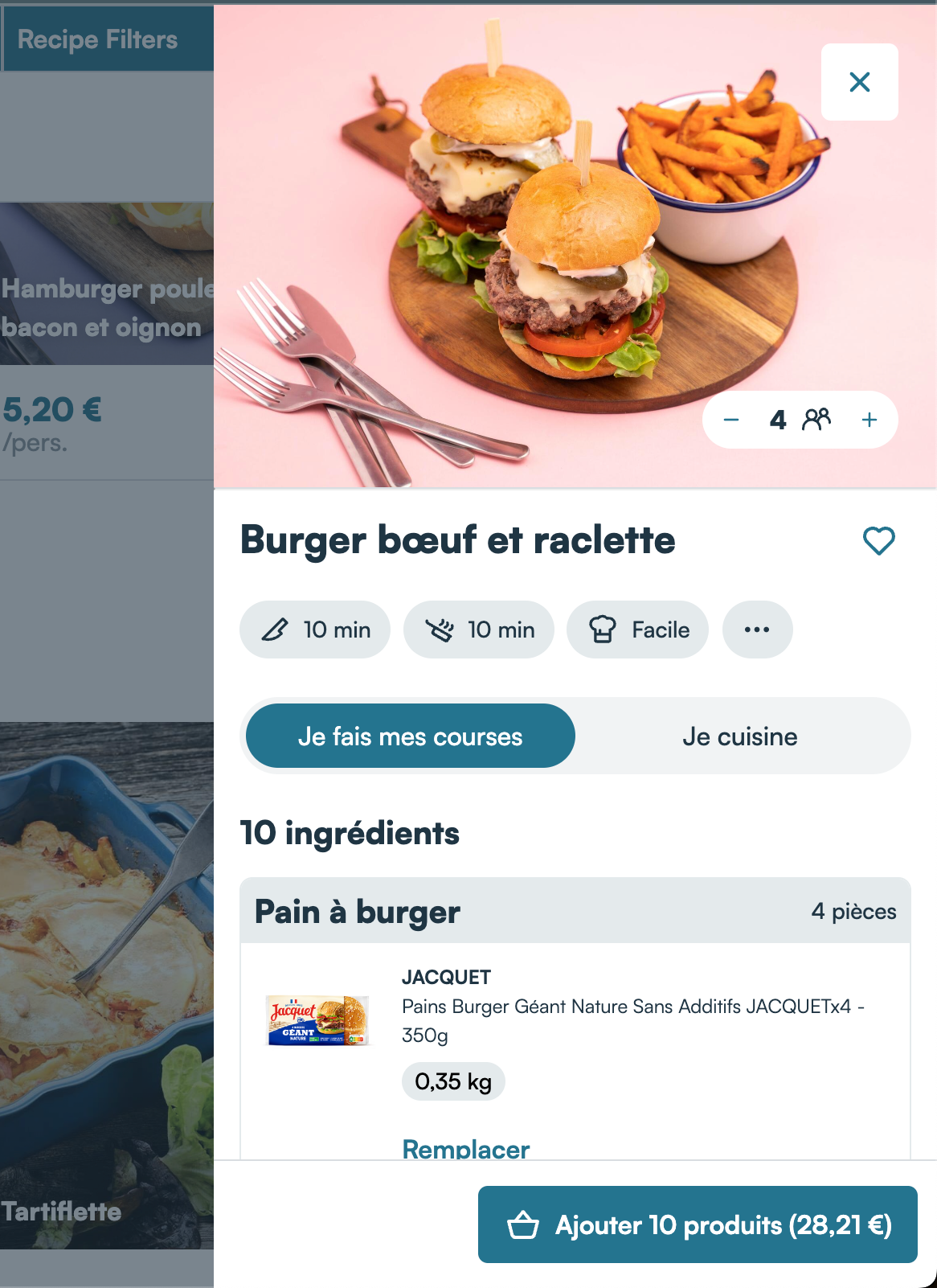
Recipe details
- pageview: Each time you land on the page
- recipe.like: Click on the heart button when recipe is not liked
- recipe.unlike: Click on the heart button when recipe is liked
- recipe.change-guests: Change of guests using the counter
- recipe.close: Click on the Cross button or the blurry background
- entry.add-all: Click on 'Add X products (XX,XX€)'
- recipe.continue: Click on 'Continue'
- recipe.shopping.display: Click on 'Shopping' tab
- recipe.cooking.display: Click on 'Cooking' tab
- home.display: Click on 'See more recipes'
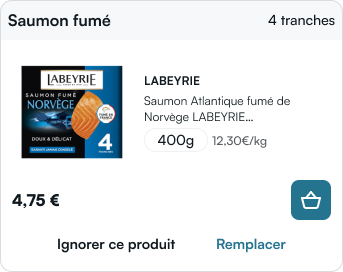
Product card
- entry.add: Click on the cart button
- entry.replace: Click on the 'Replace' button
- entry.delete: Change quantity to zero
- entry.ignore: Click on the 'Ignore' button
Store locator (Provider mode only)
- locator.display: Click on "Change store" in the header of recipe details or basket
- locator.search: When the search results are available
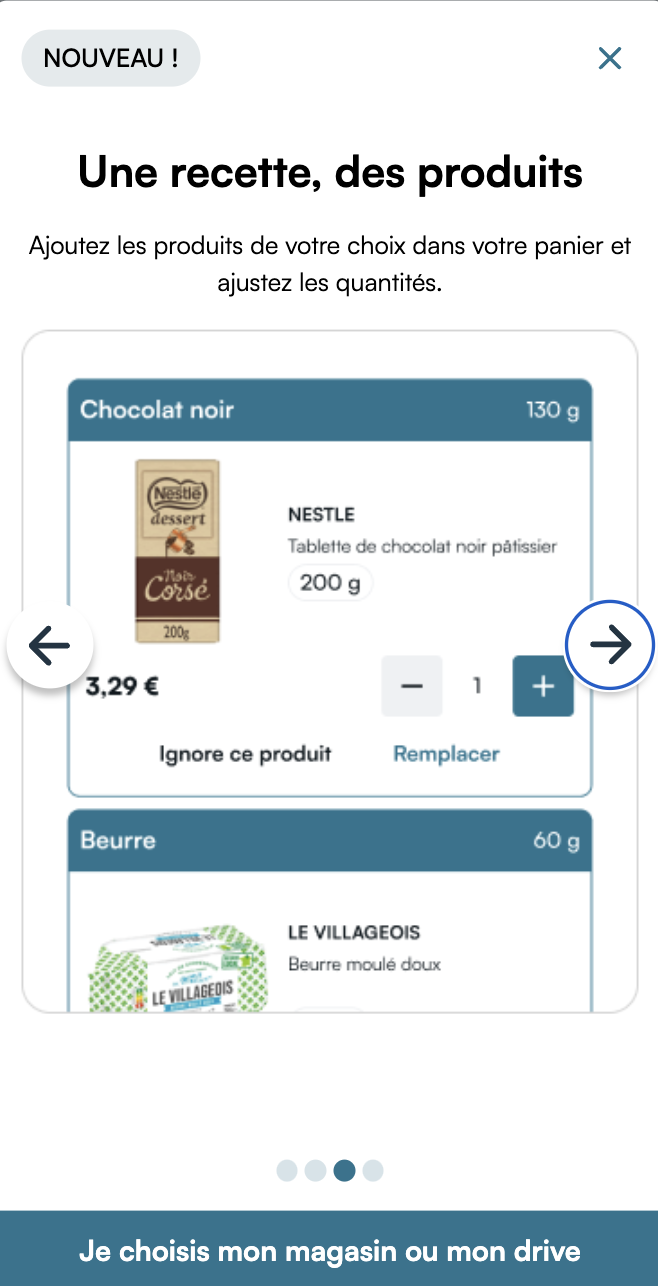
Onboarding (Provider mode only)
- onboarding.action: Click on the main CTA of the view
- onboarding.close: Click on the Cross or the blurry background
Basket interactions
- entry.added: Each time an entry is succesfully added to the basket
- entry.deleted: Each time an entry is succesfully removed from the basket
- entry.replaced: Each time an entry is succesfully replaced
Payment
- payment.started: When the user enter the payment journey
- payment.confirmed: When the user has succesfully paid the basket
- basket.confirmed: Once the payment is finished
Event properties
info
Some of the events listed in this section have not yet been implemented. Refer to the Events section to know which ones are.
PageView
pageview- none
Search
search- search_term
Recipe
recipe.show- recipe_id
- category_id (Optional): ID of the catalog category the recipe is in
recipe.display- recipe_id
- category_id (Optional): ID of the catalog category the recipe is in
recipe.shopping.display- recipe_id
recipe.cooking.display- recipe_id
recipe.like- recipe_id
- category_id (Optional): ID of the catalog category the recipe is in
recipe.unlike- recipe_id
- category_id (Optional): ID of the catalog category the recipe is in
recipe.add- recipe_id
recipe.remove- recipe_id
recipe.change-guests- recipe_id
- guests (Optional): New number of guests
recipe.continue- recipe_id
recipe.close- recipe_id
Recipe ordered
recipe.ordered.display- recipe_id
recipe.ordered.close- recipe_id
Sponsor
sponsor.display- recipe_id
sponsor.back- recipe_id
sponsor.close- recipe_id
Home
home.display- none
Breadcrumb
breadcrumb.select- step: Index of the step which was clicked
Category
category.show- category_id
category.display- category_id
category.back- category_id
Liked
liked.display- none
liked.back- none
liked.search- search_term
Orders
orders.display- none
orders.back- none
orders.search- search_term
Order
order.display- basket_id: ID of the order
order.back- basket_id: ID of the order
order.close- basket_id: ID of the order
Preferences
preferences.display- none
preferences.close- none
preferences.reset- none
preferences.save- none
preferences.guests- guests: Number of guests selected
preferences.tags.selected- tag_type
- tag_id
preferences.search- search_term
Entry
entry.add,entry.added- entry_name: Name of the basket entry
- item_id: Mealz's item id
- ext_item_id: Client item id
- item_ean
- product_quantity
- recipe_id (Optional)
entry.delete,entry.deleted- entry_name: Name of the basket entry
- item_id: Mealz's item id
- ext_item_id: Client item id
- item_ean
- product_quantity
- recipe_id (Optional)
entry.replace- entry_name: Name of the basket entry
- item_id: Mealz's item id
- ext_item_id: Client item id
- item_ean
- product_quantity
- recipe_id (Optional)
- status (Optional): Status of the entry (initial, active, ignored, ...)
entry.replaced- entry_name: Name of the basket entry
- new_item_id: Mealz's selected item id
- new_item_ext_id: Client selected item id
- new_item_ean
- product_quantity (Optional): Selected item quantity
- old_item_id (Optional)
- old_item_ext_id (Optional)
- old_item_ean (Optional)
- search_term (Optional)
- recipe_id (Optional)
entry.ignore- entry_name: Name of the basket entry
- item_id: Mealz's item id
- ext_item_id: Client item id
- item_ean
- product_quantity
- recipe_id (Optional)
entry.change-quantity- entry_name: Name of the basket entry
- item_id: Mealz's item id
- ext_item_id: Client item id
- item_ean
- product_quantity: New quantity
- recipe_id (Optional)
entry.add-all,entry.add-all-again- recipe_id
- entry_count: Number of products added
Item selector
item-selector.display- none
item-selector.back- none
item-selector.search- search_term
Meal planner
planner.started- budget: Budget entered by the user
- guests: Number of guests entered by the user
- recipe_count: Number of recipes entered by the user
planner.recipe.deleted- recipe_id
planner.confirm- budget_user: Budget entered by the user
- budget_planner: Total price of the recipes added to the basket
- recipe_count: Number of recipes added to the basket
- guests: Number of guests entered by the user
- uses_count: Number of times the user has used the feature
- time_passed: Time passed on whole the feature by the user (starts on planner.started)
planner.finalize- budget_user: Budget entered by the user
- budget_planner: Total price of the recipes after user changes in the basket preview
- recipe_count: Number of recipes after user changes in the basket preview
- guests: Number of guests entered by the user
Store locator (Provider mode only)
locator.display- none
locator.map.display- none
locator.list.display- none
locator.back- none
locator.close- none
locator.search- search_term
- stores_found_count: Number of stores returned by the search
locator.filter- supplier_name: Name of the supplier selected by the user
locator.select- pos_id: ID of the store selected by the user
- pos_name: Name of the store selected by the user
- supplier_name: Name of the selected store's supplier
Onboarding (Provider mode only)
onboarding.action- steps_completed: Number of steps viewed by the user before confirming
onboarding.close- steps_completed: Number of steps viewed by the user before closing
Basket
basket.display- none
basket.recipes.display- none
basket.products.display- none
basket.close- none
basket.entry.add- none
basket.confirmed- basket_id: Mealz's basket id
- miam_amount: Mealz amount in the basket
- total_amount: Client's basket total amount
- pos_id: Store ID
- pos_name: Store name
- recipe_count: Number of recipes in the basket
- miam_products: Number of products pushed by Mealz in the basket
- total_products (Optional): Total number of products in client's basket
- client_order_id (Optional)
basket.transfer(Provider mode only)- basket_id: Mealz's basket id
- miam_amount: Mealz amount in the basket
- pos_id: Selected store ID
- pos_name: Selected store name
- supplier_id: ID of the selected store's supplier
Payment
payment.started,payment.confirmed- basket_id: Mealz's basket id
- miam_amount: Mealz amount in the basket
- total_amount: Client's basket total amount
- pos_id: Store ID
- pos_name: Store name
- recipe_count: Number of recipes in the basket
- miam_products: Number of products pushed by Mealz in the basket
- total_products (Optional): Total number of products in client's basket
- client_order_id (Optional)
If you would like another event to be covered, feel free to contact us.