Setting up promotions based on products on sale
Our library provides the capability to manage promotional recipes based on the products you have on sale.
To begin, please communicate with our backend team regarding how you manage products on sale on your side.
Once we have the necessary information to retrieve the products on sale, a daily instance will run to update the recipes based on the current products on sale.
You can find information concerning promotions in three different sections of our library:
Recipe sale badge:

Recipes containing at least one product on sale will display a promotion badge on the recipe card. This badge is managed on our end, meaning if a user changes the products in a recipe, the display of the badge will not update to reflect these changes.
For example, if a user replaces a sale product with a non-sale product, the badge will still be shown. Similarly, if a user replaces a non-sale product in a recipe without a badge with a sale product, the badge will still not be displayed.
Products in sale:

On a product card and in the replace item modal, if the product is on sale, you'll see two indicators:
- A sale badge displaying the percentage or amount of discount.
- The sale price alongside the regular price, which is shown with a strikethrough.
Currently, we only handle immediate discounts. We plan to support fidelity discounts and other types of discounts in the future. Please contact our team if you need to manage other types of discounts.
The sale indicators are linked to the product, so changing the product will update the indicators accordingly.
Catalog Page Dedicated to Promotions:
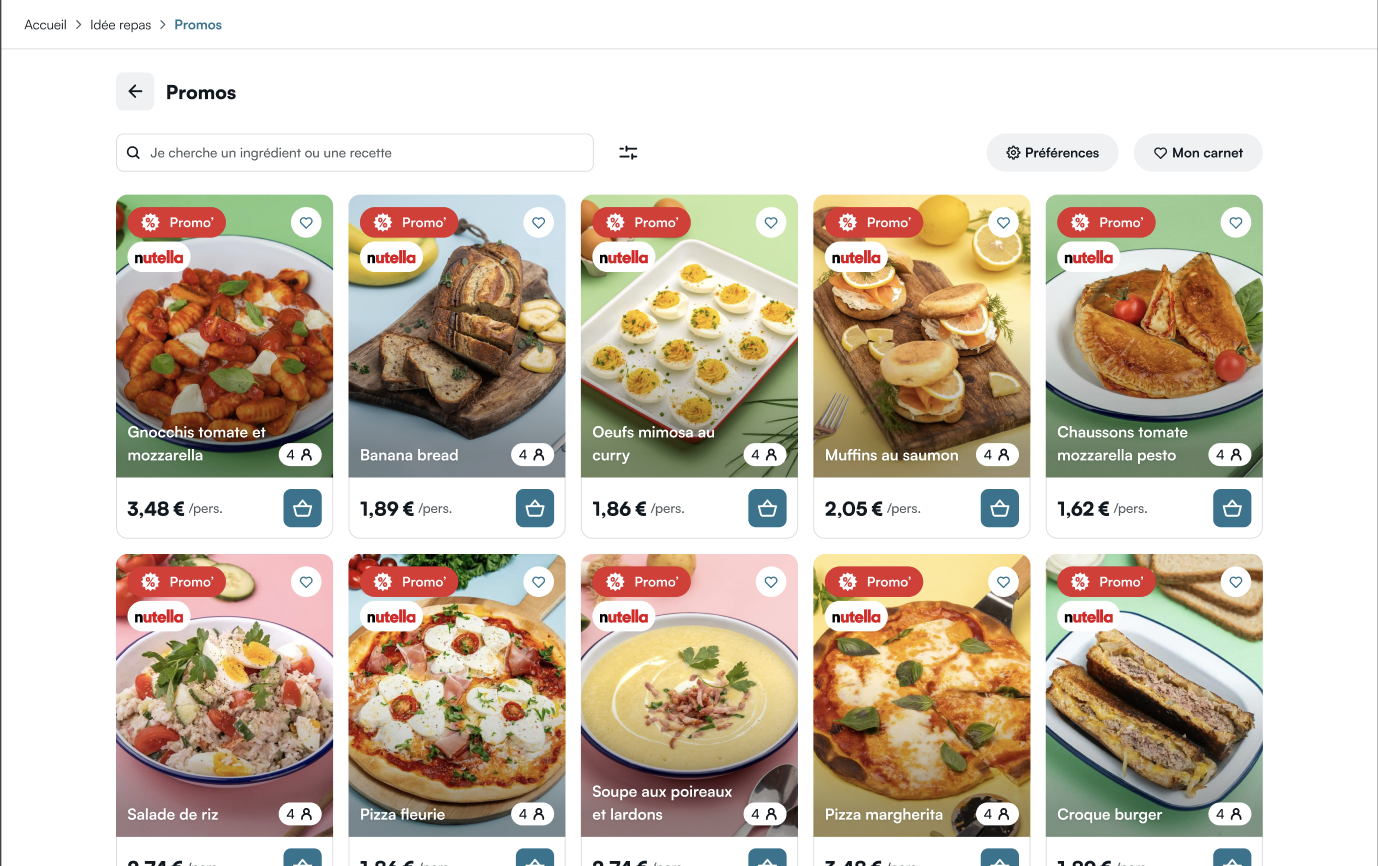
The promotion banner redirects users to the promotion page.

Example of the promotion page:
By default, the banner on the catalog homepage is hidden using display: none.
Once you have enabled promotions with our backend team, you can just override the css rule display: none to display: flex
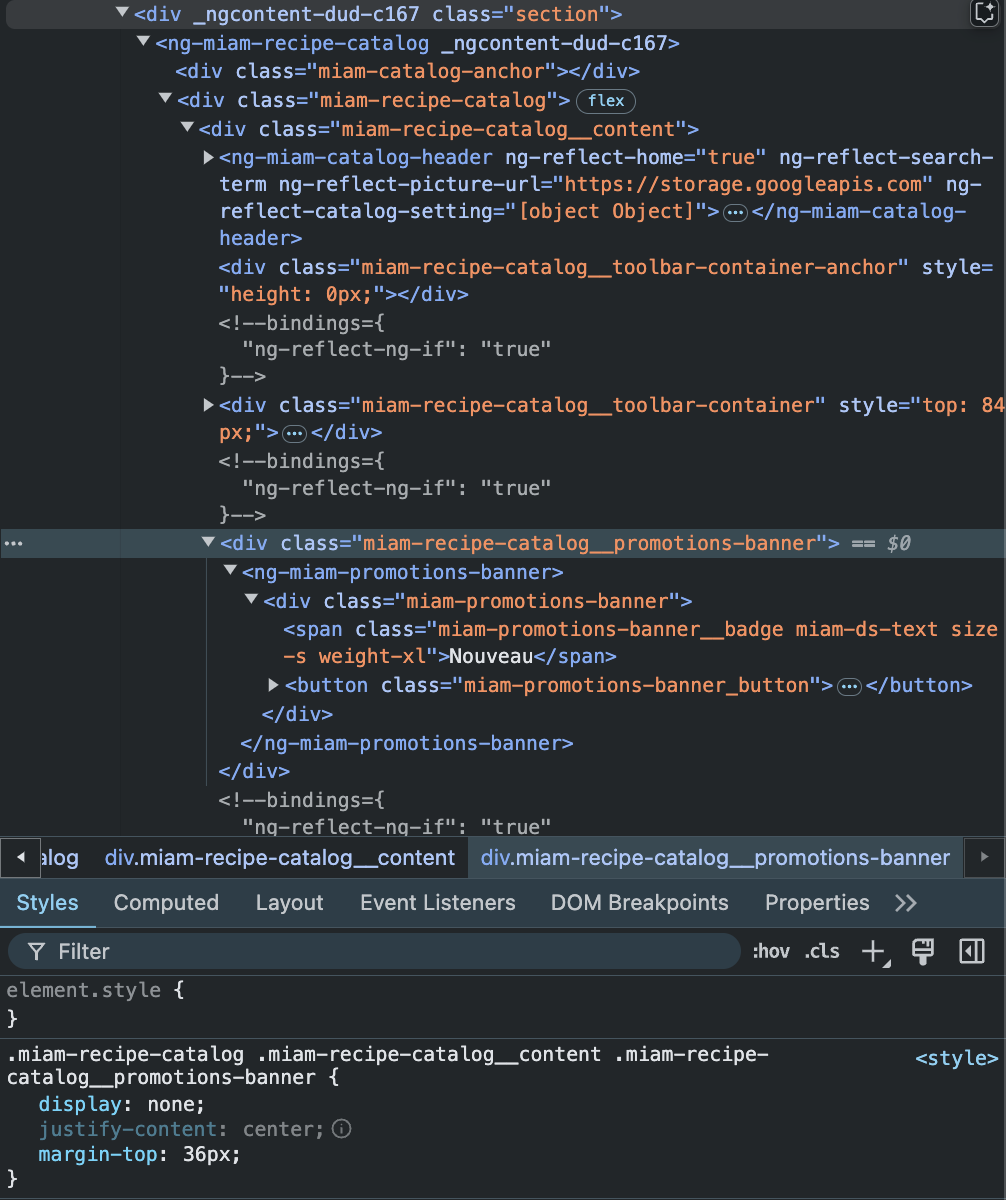
After completing these steps, your users will be able to see the promotion banner and be redirected to the promotion page by clicking on it.
Don't hesitate to customize the banner CSS to match your website's design.