Recipe Card
Embed a single recipe card in search grids, shelves, or product pages. The card is an opaque WebView component (FeatureRoute.Recipe.Card).
Visual Overview
displayVariant (1–3) and orientation (VERTICAL / HORIZONTAL) combine into six layouts:
| Vertical | Horizontal | |
|---|---|---|
| Variant 1 | 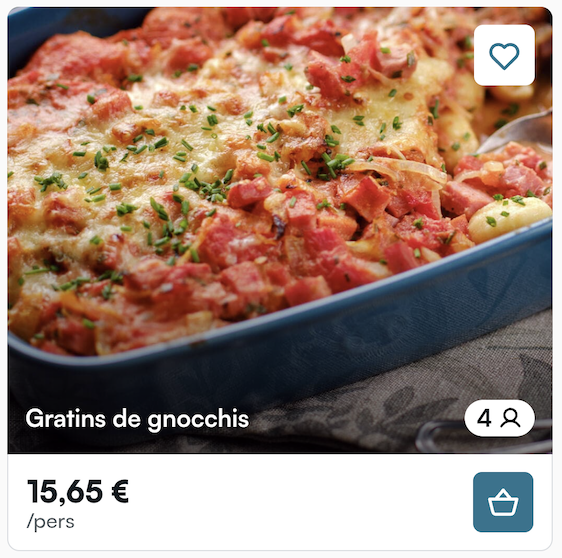 | 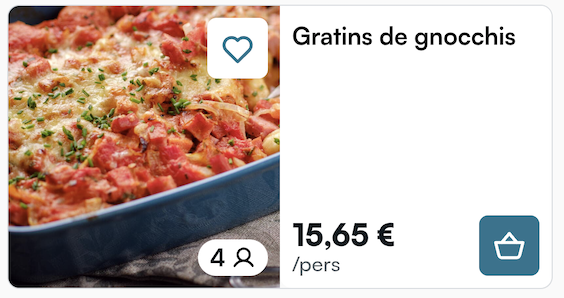 |
| Variant 2 | 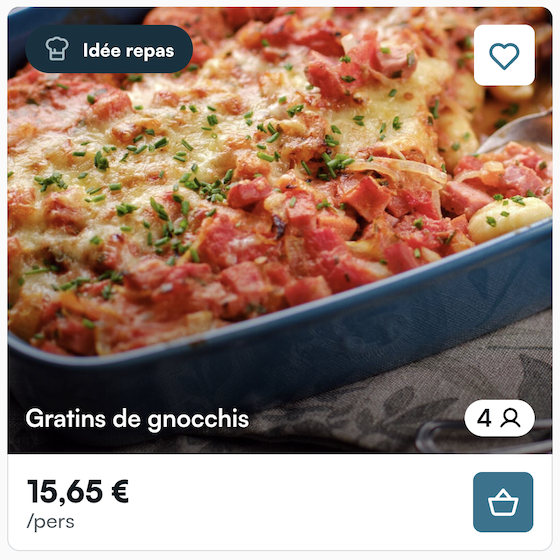 | 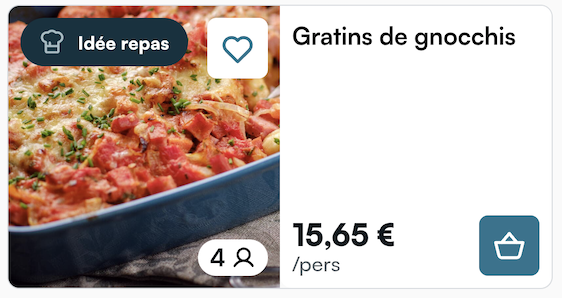 |
| Variant 3 | 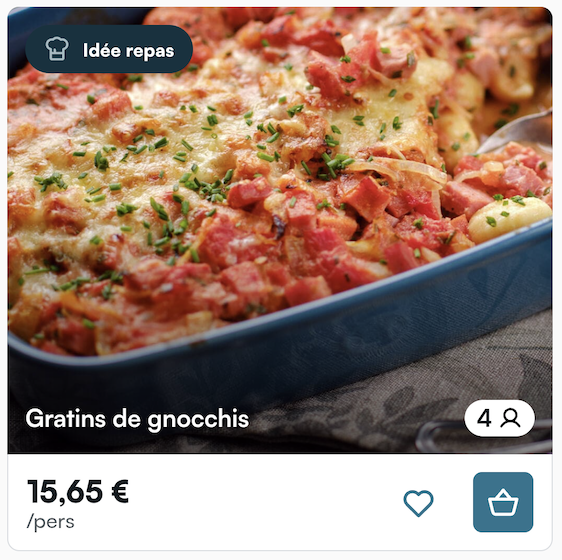 | 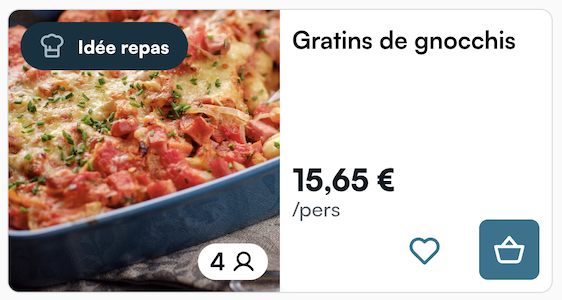 |
Parameters
| Parameter | Type | Required | Default | What it does |
|---|---|---|---|---|
displayRecipe | DisplayRecipe | yes | — | Which recipe to show (Mealz id or external id). |
orientation | RecipeCardOrientation | no | VERTICAL | VERTICAL or HORIZONTAL layout. |
dimensions | RecipeCardDimensions? | no | orientation defaults | Pixel height (and optional width). Defaults: vertical height 360, horizontal height 188; width fills parent unless set. |
displayVariant | Int? | no | null | Visual variant of the card (SSR display_variant). |
navigationCallback | RecipeCardNavigationCallback | yes | — | Open recipe details when the shopper taps the card. |
modifier | Compose Modifier | no | — | Layout wrapper. |
stateContent | state overlays | no | library default | Optional loading UI. |
DisplayRecipe
| Variant | Fields | When to use |
|---|---|---|
FromMealzRecipeId(id) | Mealz recipe id | You know the Mealz id. |
FromExternalRecipeId(id) | Your / retailer recipe id | Recipe mapped in Mealz under an external id. |
Do not pass surrounding product SKUs into DisplayRecipe anymore. Resolve shelf slots in batch with RecipeResolver.resolveRecipes(contexts), then render each non-null result with RecipeCard. Requires a store set via setSelectedStoreWithExternalId.
RecipeCardNavigationCallback
| Callback | Required | What you must do |
|---|---|---|
goToRecipeDetails | yes | (DisplayRecipe, serves: Int?) -> Unit — open recipe details with optional guest count. |
Base NavigationCallback redirects (redirectToLogIn, redirectToStoreLocator, redirectToCart, exit) default to no-ops on this component — only goToRecipeDetails matters.
Inside Mealz WebViews, SSR resolves portions automatically: if the recipe is already in the basket, the basket guest count wins over the recipe default. When you handle goToRecipeDetails, always forward the serves argument as-is into RecipeDetailsScreen / RecipeDetailsViewController — do not substitute your own default or the recipe's number-of-guests.
Inject
RecipeCardViewController.companion.get(
    displayRecipe: DisplayRecipeFromMealzRecipeId(id: "12838"),
    dimensions: RecipeCardDimensions(height: 360, width: nil),
    orientation: .vertical,
    displayVariant: KotlinInt(int: Int32(1)),
    stateContent: nil,
    navigationCallback: RecipeCardNavigationCallback(
        goToRecipeDetails: { recipe, serves in
            // Forward serves as-is into RecipeDetailsViewController — do not substitute a default
            // serves is KotlinInt? — e.g. serves.map { Int(truncating: $0) }
        }
    )
)
iOS ViewControllers — Navigation & Sheet Refresh
Nested Kotlin types flatten in Swift (e.g. DisplayRecipe.FromMealzRecipeId → DisplayRecipeFromMealzRecipeId). Optional Int? parameters are often KotlinInt? — build with KotlinInt(int: Int32(…)).
In-WebView Back
Full-screen Mealz screens (CatalogViewController, RecipeDetailsViewController, …) keep their own WebView history. When you own the UINavigationController back button / interactive pop, prefer the WebView stack first:
if ScreenViewControllerCoordinator.shared.canGoBackInternally(viewController: mealzVC) {
    ScreenViewControllerCoordinator.shared.handleBackNavigation(viewController: mealzVC)
} else {
    // pop / dismiss your host screen
}
Recipe Card Under a Details Sheet
When you push recipe details, the card refreshes on return via the usual appear lifecycle. When you present details as a sheet (card stays visible underneath), post this notification on dismiss so RecipeCardViewController can refresh likes / basket state for that recipe:
NotificationCenter.default.post(
    name: Notification.Name("recipeDetailsDismissed"),
    object: nil,
    userInfo: [
        "recipeId": recipeId,           // Mealz or external id you opened
        "isMealzRecipe": true           // false for DisplayRecipeFromExternalRecipeId
    ]
)
The card listens for that notification automatically — you only need to post it when closing a sheet. No extra cleanup is required on the host side; the library tears down WebView / observers with the ViewController.
Shelves / Search — RecipeResolver
When you show Mealz recipes between products on shelf or search pages:
- Build one
RecipeContext(productIds, position)per slot. - Call
suspend RecipeResolver.resolveRecipes(contexts)once (or when contexts change). - For each non-null
DisplayRecipein the result map, render aRecipeCard.
val resolved = RecipeResolver.resolveRecipes(
    listOf(RecipeContext(productIds = nearbySkus, position = 0))
)
// resolved[0]?.let { RecipeCard(displayRecipe = it, …) }