No Supplier
When your supplier key is in No Supplier mode (encoded in the key Mealz provides), Mealz owns the basket. Extra WebView helpers cover retailer/store picking, pricing, and transfer CTAs.
In No Supplier mode, do not call setUser("…") and do not select a store yourself (setSelectedStoreWithExternalId / setSelectedStoreWithMealzId). Leave authless defaults; retailer and store picking go through Supplier Selector.
Basket Transfer
From the Mealz basket preview (No Supplier), the shopper confirms transfer toward an affiliated retailer. That CTA triggers the handoff: MealzUIKit opens the retailer URL outside your app with transferred_basket_token. There is no separate transfer API — host Add to Cart / Supplier Selector and allow that handoff.
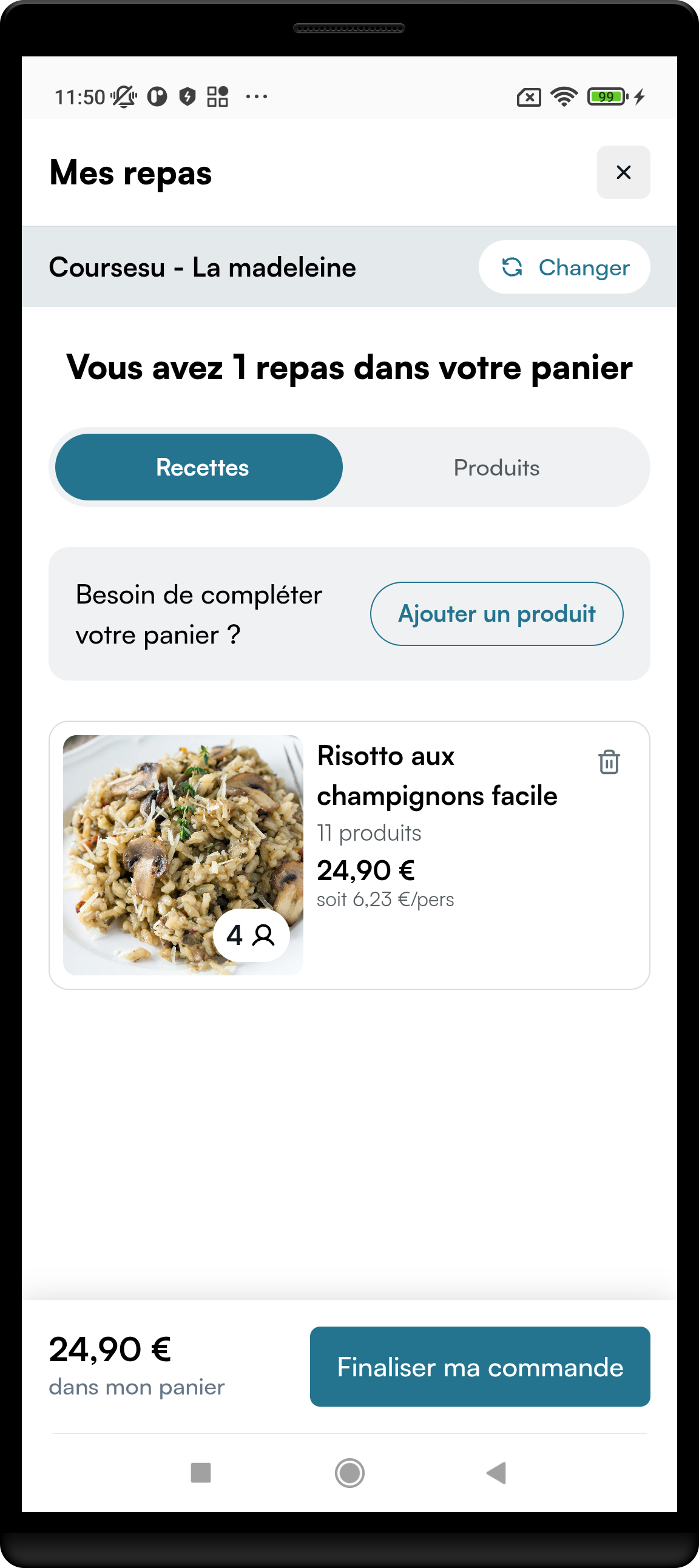
Full flow (No Supplier emit + Retailer receive): Basket Transfer.
Supplier Selector
Lets the shopper pick an affiliated grocery retailer (and then a store). Mealz opens this automatically when a store is required, or other No Supplier components request it via redirectToSupplierSelector. You should not set the Mealz store id manually in the normal flow.
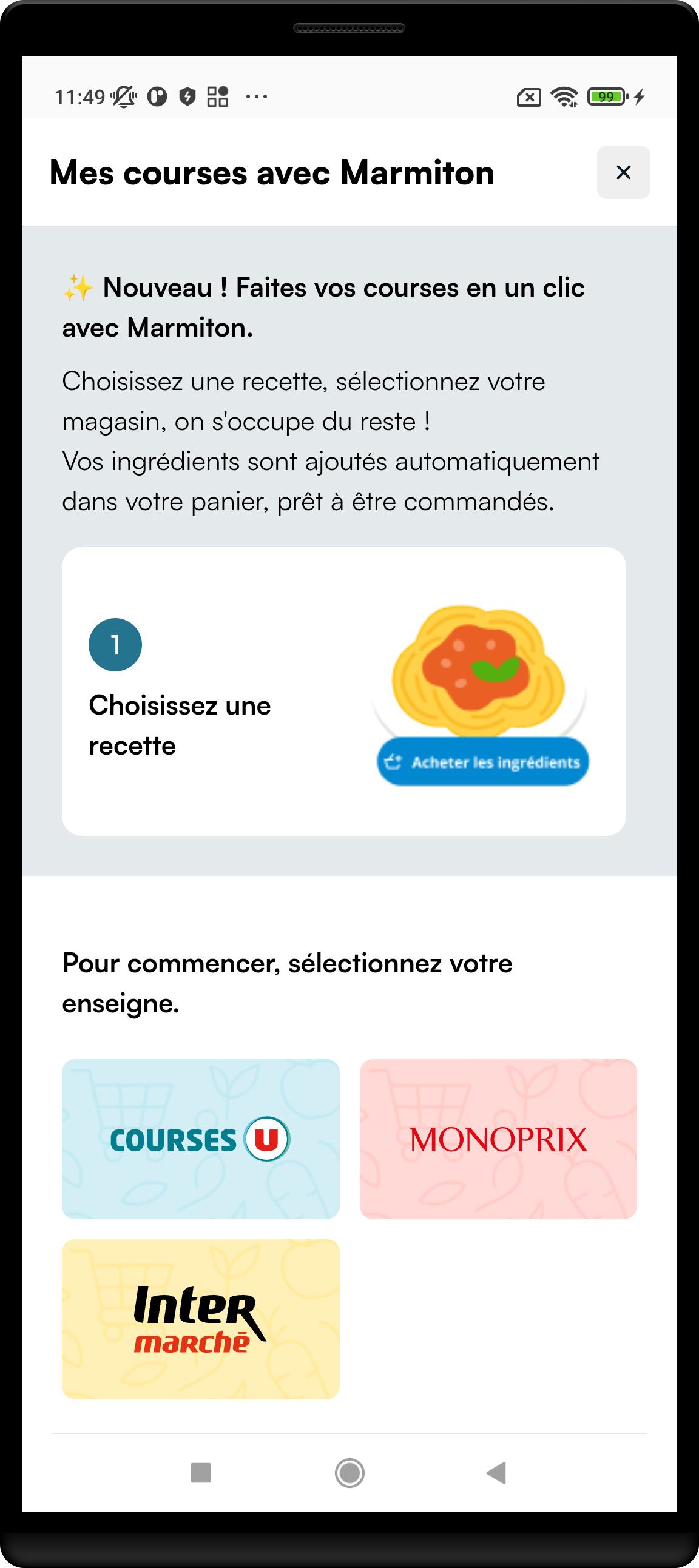
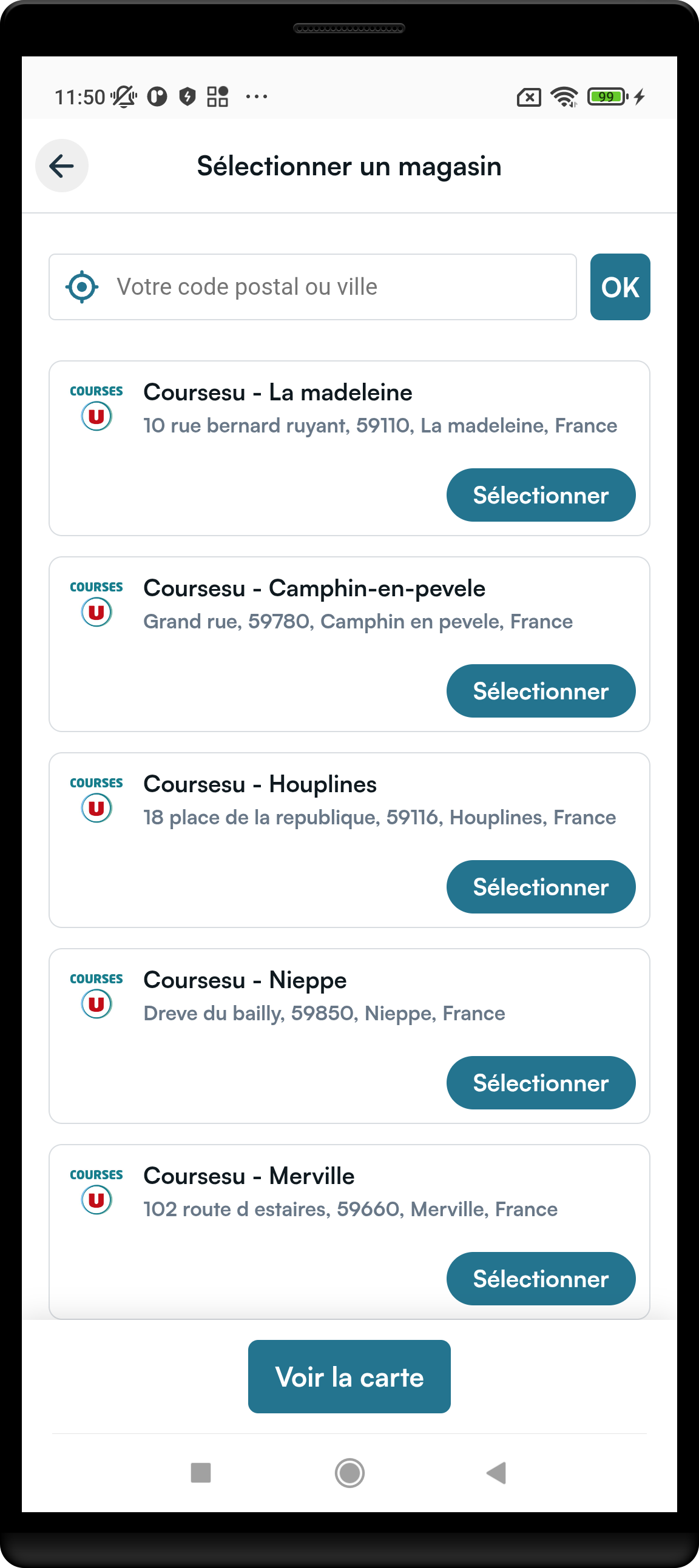
Background: Non-retailer introduction (steps 3–4 of the transfer journey).
Parameters
| Parameter | Type | Required | Default | What it does |
|---|---|---|---|---|
context | SupplierSelectorContext | yes | — | Why the selector opened. Today: OpenedForAddToCartByExternalId(externalRecipeId). |
navigationCallback | SupplierSelectorNavigationCallback | yes | — | Only exit matters (cancel or store selected). |
modifier | Compose Modifier | no | fills max size | Layout. |
stateContent | state overlays | no | library default | Optional loading UI. |
SupplierSelectorNavigationCallback
| Callback | Required | What you must do |
|---|---|---|
exit | yes | Dismiss the selector when the user cancels or after a store is selected. |
Recipe Pricing
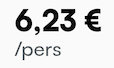
Shows the price for a recipe in the No Supplier context.

Parameters
| Parameter | Type | Required | Default | What it does |
|---|---|---|---|---|
displayRecipe | DisplayRecipe | yes | — | Mealz or external recipe id (FromMealzRecipeId / FromExternalRecipeId). |
serves | Int? | no | null | Portion / guest count for pricing. |
navigationCallback | RecipePricingNavigationCallback | yes | — | Opens supplier selector when a store is missing. |
modifier | Compose Modifier | no | — | Layout (fixed height). |
stateContent | state overlays | no | library default | Optional loading UI. |
Pass the guest count from your No Supplier serves counter — the value your UI currently shows. Do not pick an arbitrary unrelated number. If the recipe is already in the Mealz basket, serves must stay aligned with that basket guest count (the same value you manage in your counter). Opening pricing, add-to-cart, or details with a mismatched serves can desync portions/ingredients.
RecipePricingNavigationCallback
| Callback | Required | What you must do |
|---|---|---|
redirectToSupplierSelector | yes | (SupplierSelectorContext) -> Unit — present SupplierSelectorScreen with that context. |
See also Fetching style and Non-retailer setup.
Add to Cart CTA
Primary CTA next to a recipe to add ingredients to the Mealz basket and start transfer toward an affiliated retailer.
Full web behaviour: no-supplier-add-to-cart-cta (SSR).


Parameters
| Parameter | Type | Required | Default | What it does |
|---|---|---|---|---|
displayRecipe | DisplayRecipe.FromExternalRecipeId | yes | — | External recipe id (your content id). |
serves | Int? | no | null | Guest count for the add-to-cart flow. |
navigationCallback | AddToCartCtaNavigationCallback | yes | — | Details, supplier selector, catalog. |
modifier | Compose Modifier | no | — | Layout (fixed height). |
stateContent | state overlays | no | library default | Optional loading UI. |
Pass the guest count from your No Supplier serves counter — the value your UI currently shows. Do not pick an arbitrary unrelated number. If the recipe is already in the Mealz basket, serves must stay aligned with that basket guest count (the same value you manage in your counter). Opening pricing, add-to-cart, or details with a mismatched serves can desync portions/ingredients.
AddToCartCtaNavigationCallback
| Callback | Required | What you must do |
|---|---|---|
goToRecipeDetails | yes | (DisplayRecipe, serves: Int?) -> Unit — open details for that recipe. |
redirectToSupplierSelector | yes | Present supplier selector with the given SupplierSelectorContext. |
goToCatalog | yes | (FeatureRoute.Catalog) -> Unit — open catalog when requested. |
Base login / store / cart / exit redirects are no-ops on this callback — wire the three callbacks above.
In No Supplier mode, you own the guest-count counter UI and logic. Pass that same serves into Mealz components (RecipePricing, Add to Cart CTA, RecipeDetails). When goToRecipeDetails gives you a serves argument, forward it as-is into RecipeDetailsScreen / RecipeDetailsViewController — it should match your counter (and the Mealz basket once the recipe is added). Do not substitute a different default.
Basket Count Badges
In No Supplier mode, Mealz owns the basket. Use BasketCountNotifier to drive recipe / product count badges in your app chrome.
Register after start. Multiple listeners are supported — keep a reference to each listener if you need to unregister it later:
BasketCountNotifier.shared.registerRecipeCountListener { count in /* badge */ }
BasketCountNotifier.shared.registerProductCountListener { count in /* badge */ }
// Unregister with the same listener instance:
// BasketCountNotifier.shared.unregisterRecipeCountListener(listener:)
Counts are persisted locally and refreshed from WebView observers. They can be stale until a Mealz WebView opens again after process death, auth changes, or store changes without reopening Mealz UI.
Inject Examples
// Pricing — nested Kotlin types flatten in Swift (DisplayRecipeFromExternalRecipeId, …)
let serves = KotlinInt(int: Int32(4))

RecipePricingViewController.companion.get(
    displayRecipe: DisplayRecipeFromExternalRecipeId(id: "ext-recipe-1"),
    serves: serves,
    stateContent: nil,
    navigationCallback: RecipePricingNavigationCallback(
        redirectToSupplierSelector: { context in /* present SupplierSelectorViewController */ }
    )
)

// Add to Cart CTA
AddToCartCTAViewController.companion.get(
    displayRecipe: DisplayRecipeFromExternalRecipeId(id: "ext-recipe-1"),
    serves: serves,
    stateContent: nil,
    navigationCallback: AddToCartCtaNavigationCallback(
        goToRecipeDetails: { displayRecipe, serves in
            // Forward serves as-is (should match your No Supplier counter) into RecipeDetailsViewController
            // serves is KotlinInt? — e.g. serves.map { Int(truncating: $0) }
        },
        redirectToSupplierSelector: { context in },
        goToCatalog: { route in }
    )
)

// Supplier Selector
SupplierSelectorViewController.companion.get(
    context: SupplierSelectorContextOpenedForAddToCartByExternalId(
        externalRecipeId: "ext-recipe-1"
    ),
    stateContent: nil,
    navigationCallback: SupplierSelectorNavigationCallback(
        exit: { /* dismiss */ }
    )
)