demo
Run on your device
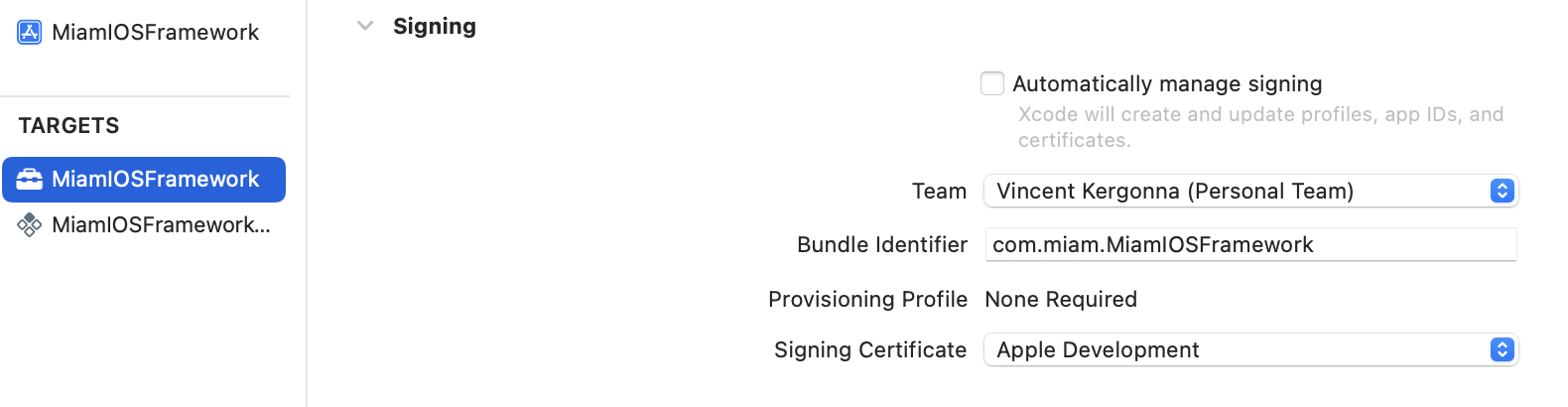
To run the demo application on a real device, you will need to update the signing certificates.
tip
for iOSApp certificates can be managed by Xcode (Automatically manage signing), just select your team name in the list.
for MiamIOSFramework and MiamIOSFrameworkTests signing has to be set to manual. Select your team and make sure to use the same team as for iOSApp. Then select your signing certificate.
On Apple Silicon (M1, M2)
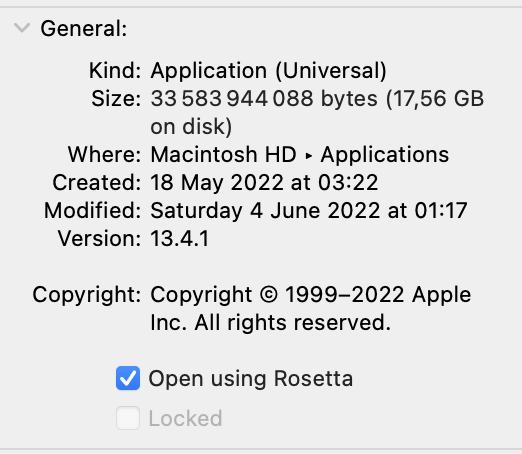
To run miam iOS Framework on Apple Silicon, a few steps are required:
Xcode need to be opened using Rosetta
info
arm64 architecture must be excluded the build when building for iOS Simulator.