Recipe catalog
Overview
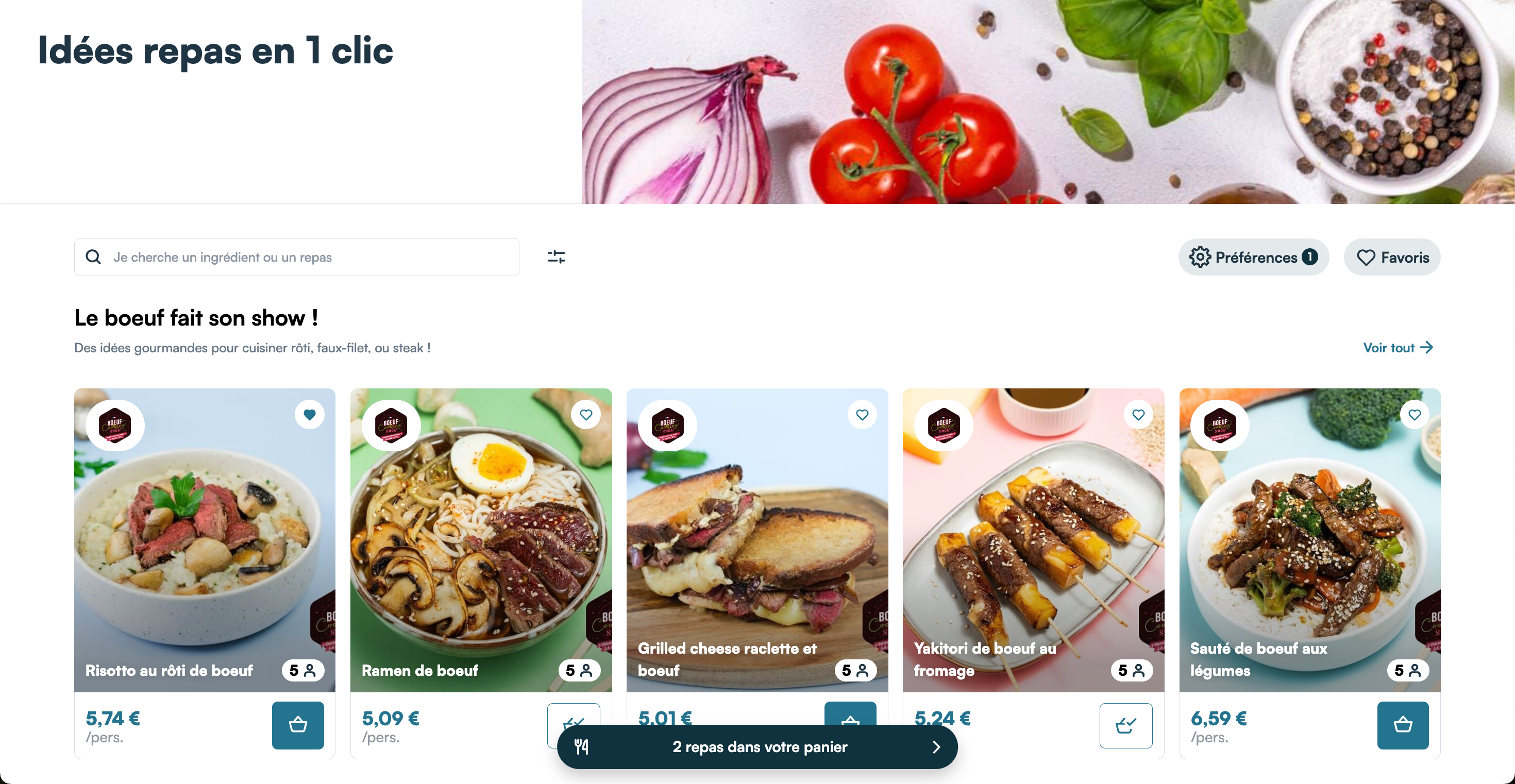
The recipe catalog is a very complete component that acts like a complete page that you just have to insert in a blank space in your web page, and it will completely fill the available space. Its structure is divided into multiple parts:
- The header, showing an image, the title of the page and some CTAs:
- a filter button
- a search bar
- a preferences button
- a favorites button
- The filters, appearing when the filter button is clicked
- The content, which displays some categories at first, and goes into list mode when you click on a category, type in the searchbar or use any filters.
You need to have loaded the token to display recipes and the library needs a valid store to add products to cart
Example
<webc-miam-recipe-catalog></webc-miam-recipe-catalog>
setStickyHeaderHeight
If you're planning to implement the catalog. You'll probably need to configure `setStickyHeaderHeight(YOUR_HEADER_HEIGHT_IN_PIXEL: number)
(called with window.mealz.setStickyHeaderHeight(YOUR_HEADER_HEIGHT_IN_PIXEL: number)).
You will have to call this method every time your sticky header height changes.
this value is used by our catalog header which have a sticky behaviour but requires to know your current sticky header height at any time.
if you have no sticky header. You don't have to call setStickyHeaderHeight(YOUR_HEADER_HEIGHT_IN_PIXEL: number)