Recipe Details
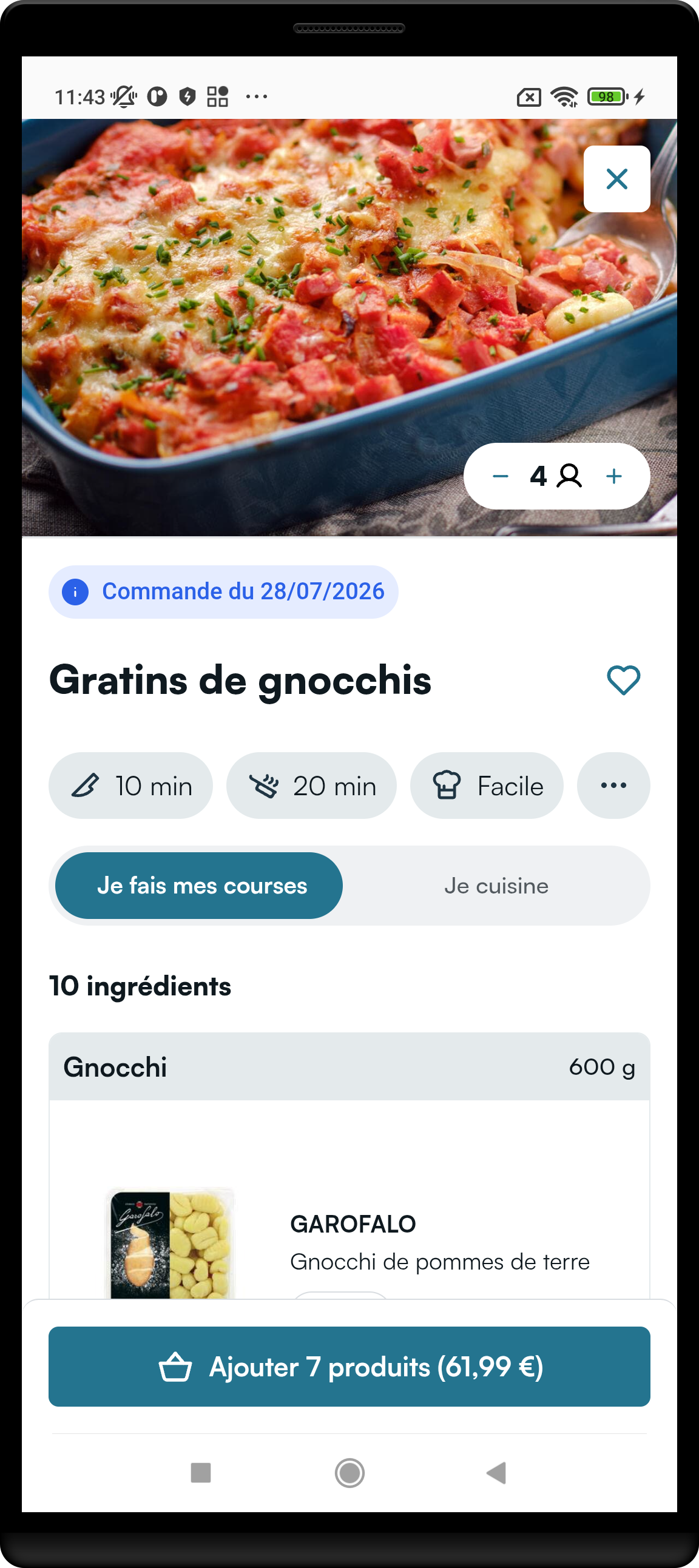
Full recipe details journey (FeatureRoute.Recipe.Details).
Visual Overview
Parameters
| Parameter | Type | Required | Default | What it does |
|---|---|---|---|---|
displayRecipe | DisplayRecipe | yes | — | Mealz or external recipe id (FromMealzRecipeId / FromExternalRecipeId). |
serves | Int? | no | null | Guest / portion count to open with. Often forwarded from the recipe card. |
navigationCallback | RecipeDetailsNavigationCallback | yes | — | Optional login / store / exit + catalog redirect. |
modifier | Compose Modifier | no | fills max size | Layout. |
stateContent | state overlays | no | library default | Optional loading UI. |
Serves
Do not choose an arbitrary serves value. If the recipe is already in the basket, serves must reflect the basket guest count (usually forwarded unchanged from goToRecipeDetails). Opening a screen with an arbitrary serves while the recipe is in-basket can desync portions/ingredients.
RecipeDetailsNavigationCallback
| Callback | Required | What you must do |
|---|---|---|
redirectToLogIn | no | Open login. Defaults to a no-op. |
redirectToStoreLocator | no | Open store picker. Defaults to a no-op. |
exit | no | Close / pop recipe details. Defaults to a no-op. |
redirectToCatalog | yes | Open the Mealz catalog (e.g. “see more recipes”). |
Inject
RecipeDetailsScreen(
    displayRecipe = DisplayRecipe.FromMealzRecipeId("12838"),
    serves = servesFromCallback, // forward goToRecipeDetails serves as-is
    navigationCallback = RecipeDetailsNavigationCallback(
        redirectToLogIn = { },
        redirectToStoreLocator = { },
        exit = { },
        redirectToCatalog = { /* open CatalogScreen */ }
    )
)