My Space
The My Space feature is the standalone page where users see the recipes they already favorited & have ordered in the past.
Time to read:

5 minutes
Time for base implementation:
1 hour
Time for full customization:
3 hours
Prerequisites
Packages
To have the Catalog functioning properly, you must install our packages mealz-core & mealz-android.
Here are the instructions
Initialize Mealz
Also, you must initialize Mealz in your MainActivity. Here are the instructions
if you are a provider or here if you are a supplier, if you don't know which configuration you need check here
Ingredients
My Space Page
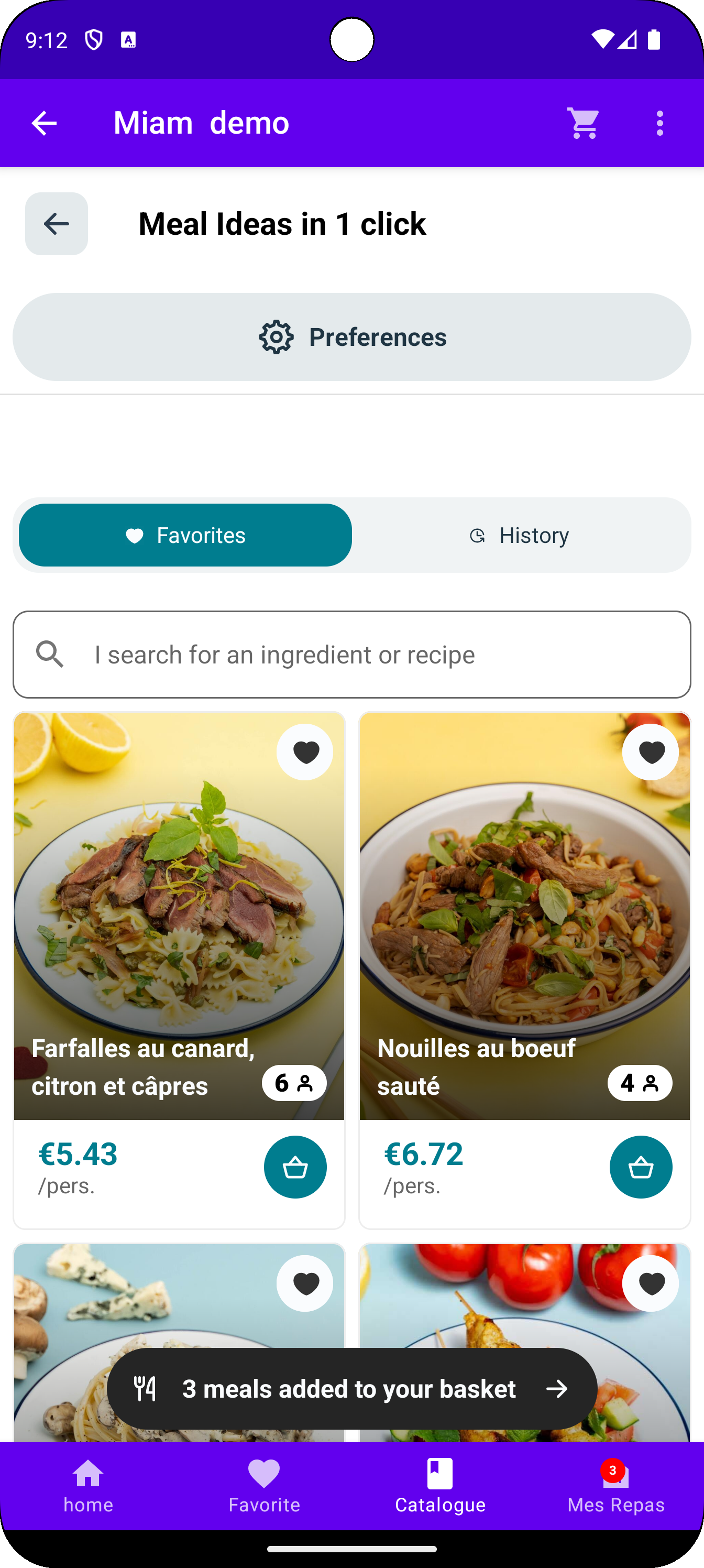
The MySpace Page shows the recipes a user has already like & the orders that a particular user has already purchased with Mealz recipes.
This page can be standalone but is automatically included in the Catalog Journey when the user presses the My Space button in the Cataog toolbar.
Additionally, if the user lands on this page without any previous orders, they can navigate to the Catalog Feature.
Favorites Page
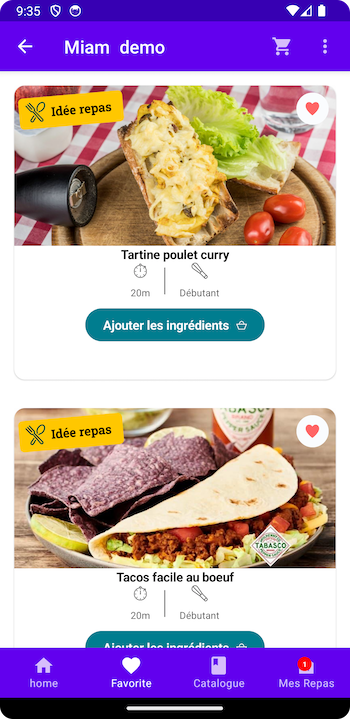
The Favorites Page shows the recipes that a particular user has liked, or hearted.
These recipes are displayed in a list, where you can determine how many columns.
This page is usually standalone, like a tab by itself or in the user's Account Settings.
Additionally, if the user lands on this page without any recipes liked, they can navigate to the Catalog Feature.
OrderHistory
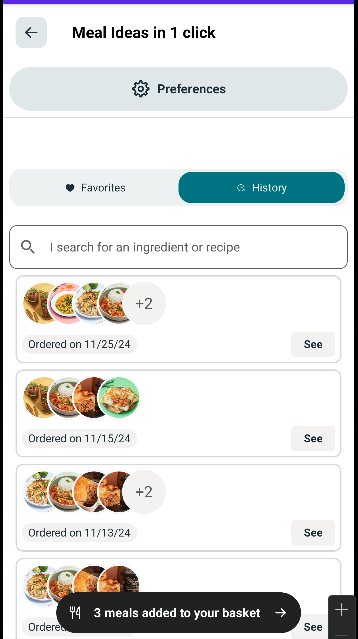
The OrderHistory Page shows the orders that a particular user has already purchased with Mealz recipes.
This page can be standalone but is automatically included in the MySpace section of the catalog.
Additionally, if the user lands on this page without any previous orders, they can navigate to the Catalog Feature.
OrderDetails
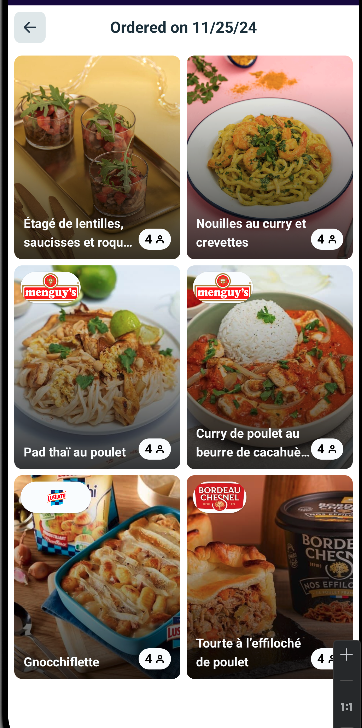
The OrderDetails Page shows the recipes in a particular order.
This page is included with the OrderHistory feature.
ItemSelector
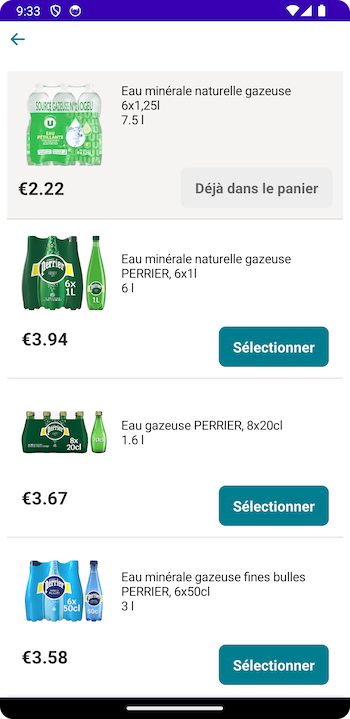
The ItemSelector Page shows other products that the user can replace their current product for.
When the user selects the product they are selecting, they should be navigated back to where they launched from.
RecipeDetails
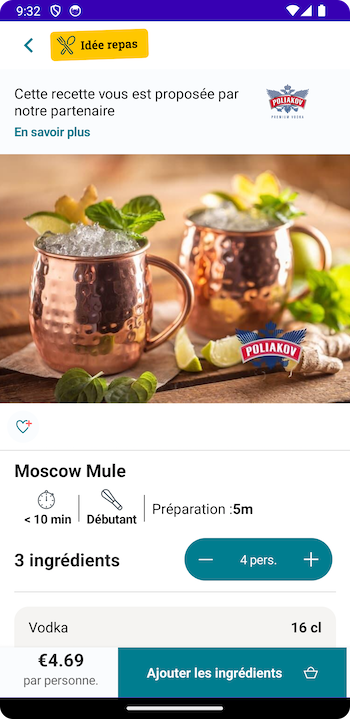
The RecipeDetails Page shows the information, ingredients, & steps for the recipe.
Optionally, the user can add the item to their basket from the footer.
If the user adds the recipe to their basket, they are navigated to their Miam MyMeals or Basket.
Otherwise, they can just navigate back to the Page they launched from.
SponsorDetails
The SponsorDetails Page shows information about the product or company that is sponsoring a certain recipe.
The content comes from the Sponsor, so only the background, loader, & empty are customizable.
The user just navigates back to the Page they launched from.

MyMeals
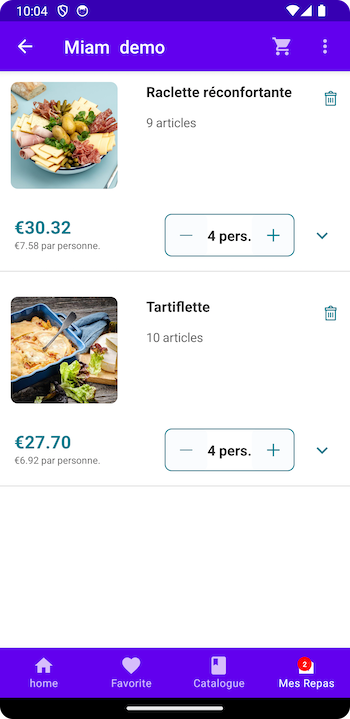
The MyMeals Page shows the recipes that the user has added to their basket.
Additionally, it includes the products that make up that recipe.
They can change the amount of products, change the product, or even change the number of guests.
The user just navigates back to the Page they launched from.
Customization
If you would like to customize your components, such as the Empty, Loader, or RecipeCard, you can read our documentation here.